
The applicant feature is used for new recruits that will fulfill the role of a driver. The workflow is design to ensure compliance is met every time. So lets dig in.
First, head over to the "Applicant" tab on the left side of the panel and select the "New Applicant" button.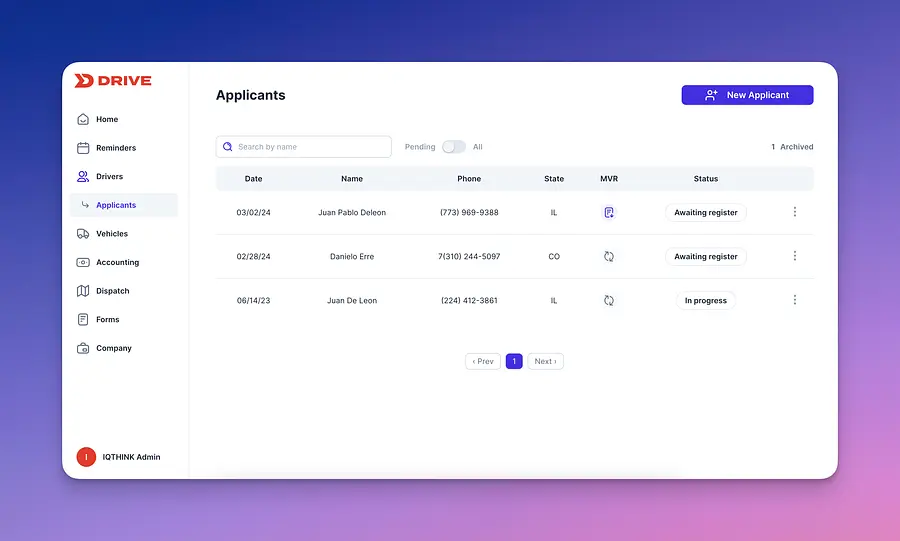
You will need to acquire some basic information regarding the applicant in order to proceed:
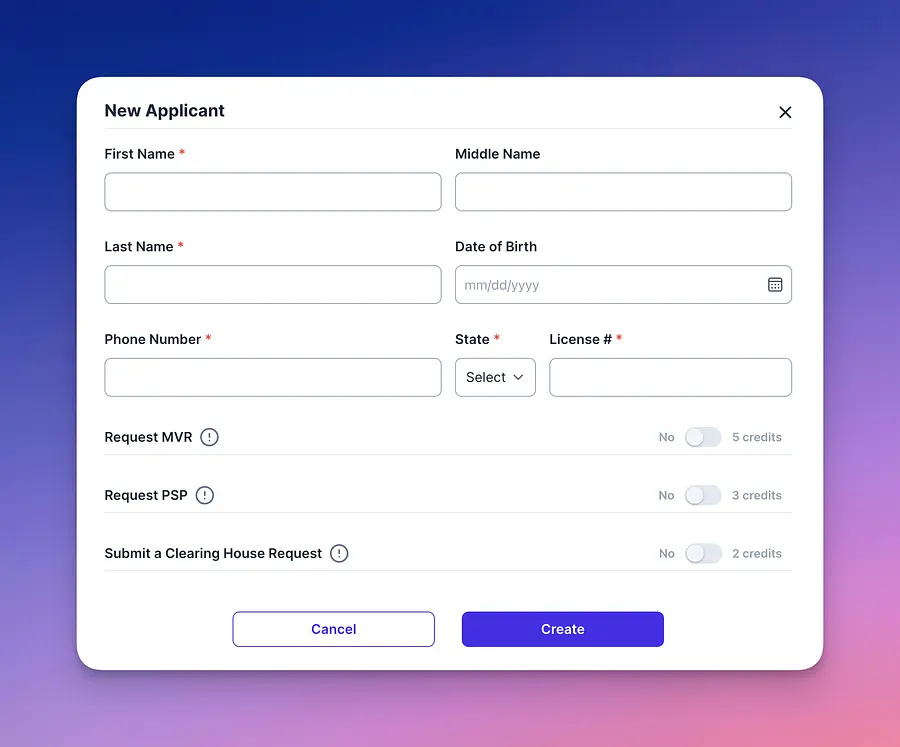
Once you complete the short form you will have three options.
First, head over to the "Applicant" tab on the left side of the panel and select the "New Applicant" button.
You will need to acquire some basic information regarding the applicant in order to proceed:
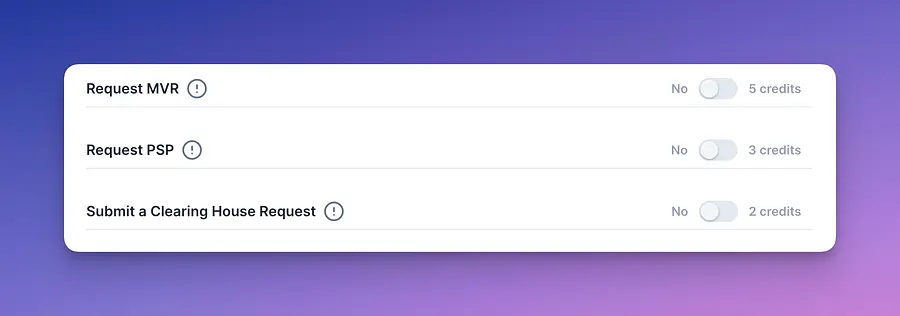
Once you complete the short form you will have three options.
These reports are utilized for background check of the applicant. Make sure you have proper authorization from the applicant prior to ordering any of these reports. Each of them has a cost based on credits. Once selected our team will ensure these checks are done in your behalf.
Now you can send a link to the applicant to complete their application.
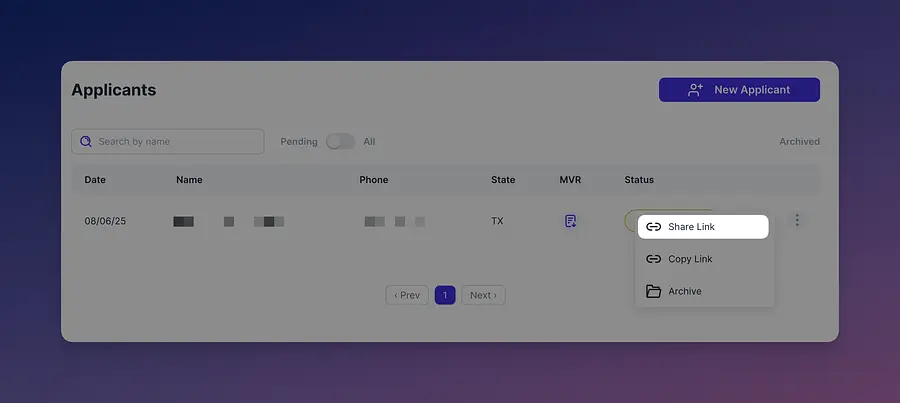
Now you can send a link to the applicant to complete their application.
Once the applicant has completed their application their status will be modified to "Awaiting Review" automatically.
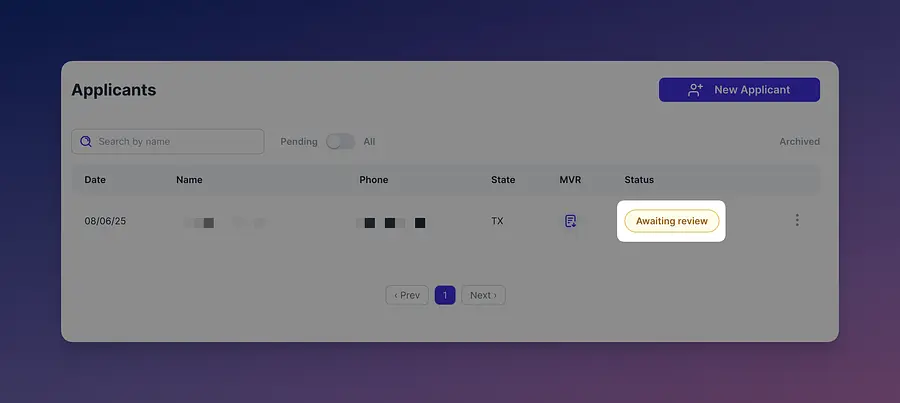
Once an applicant is in awaiting review you can select them and review the information they provided in order to assess if they are a fit for your company.
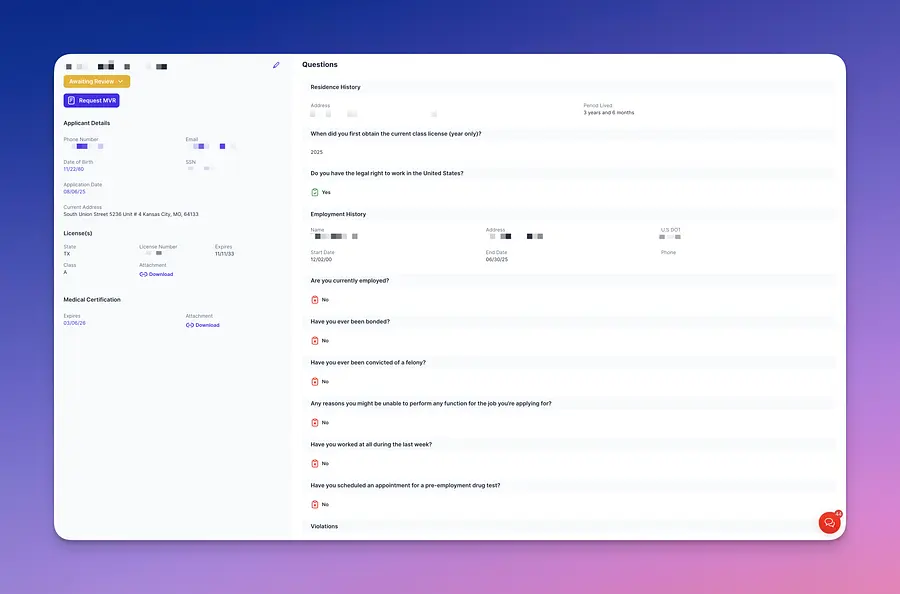 Once you are ready to take an action for the driver you can head to the top left corner and change its status.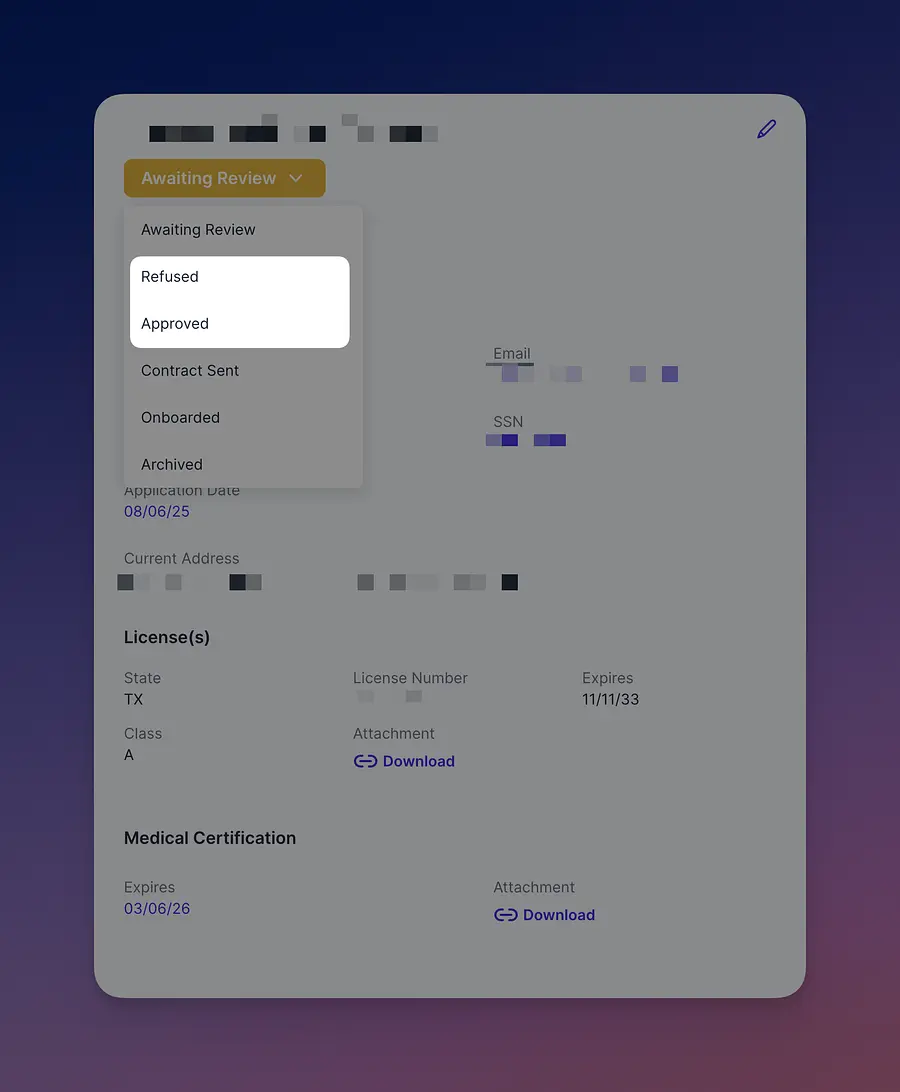
You will be asked then if you want to complete the process electronically or manually.
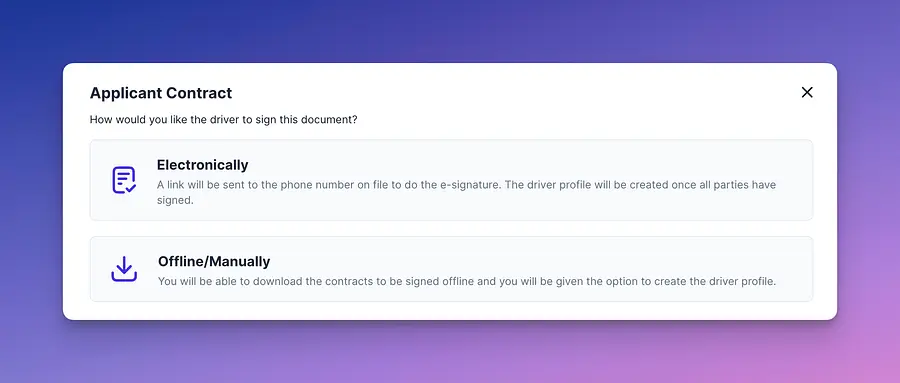
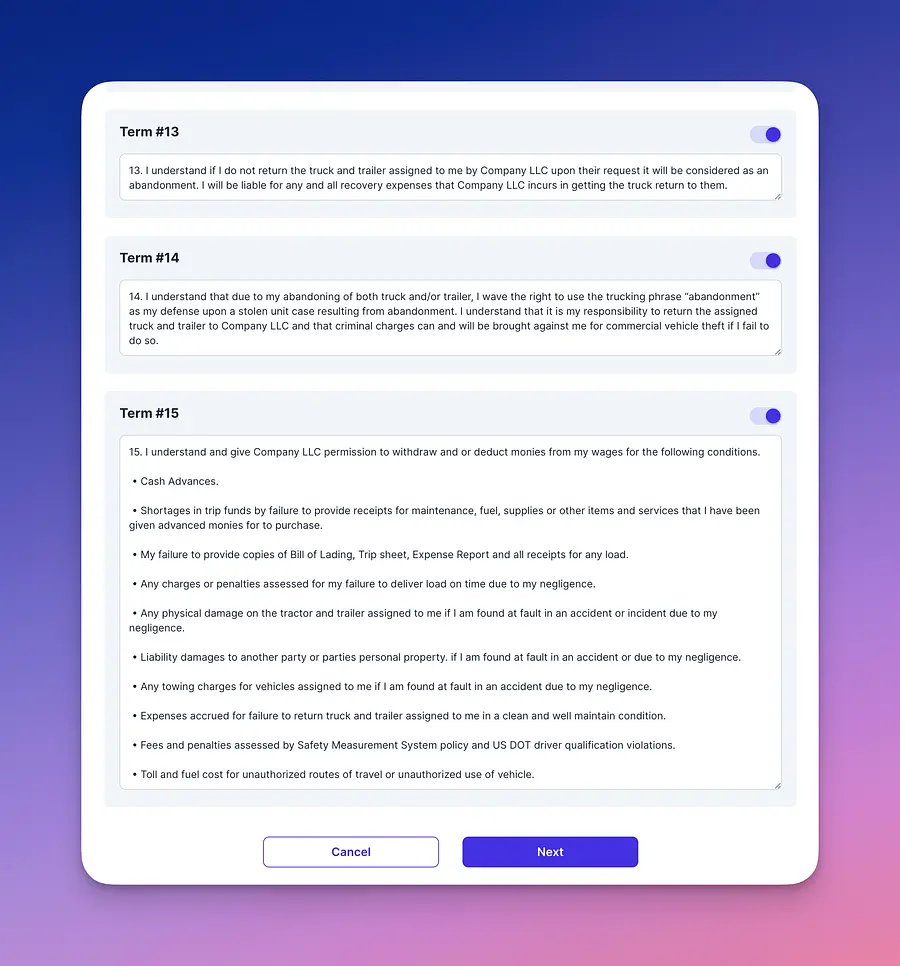
Once there is a selection the system will provide 15 commonly used terms placed in contracts. These terms included are suggestions only and should not be used as final contract terms without revision. These are intended solely as a guide to help you build a contract tailored to your specific needs.
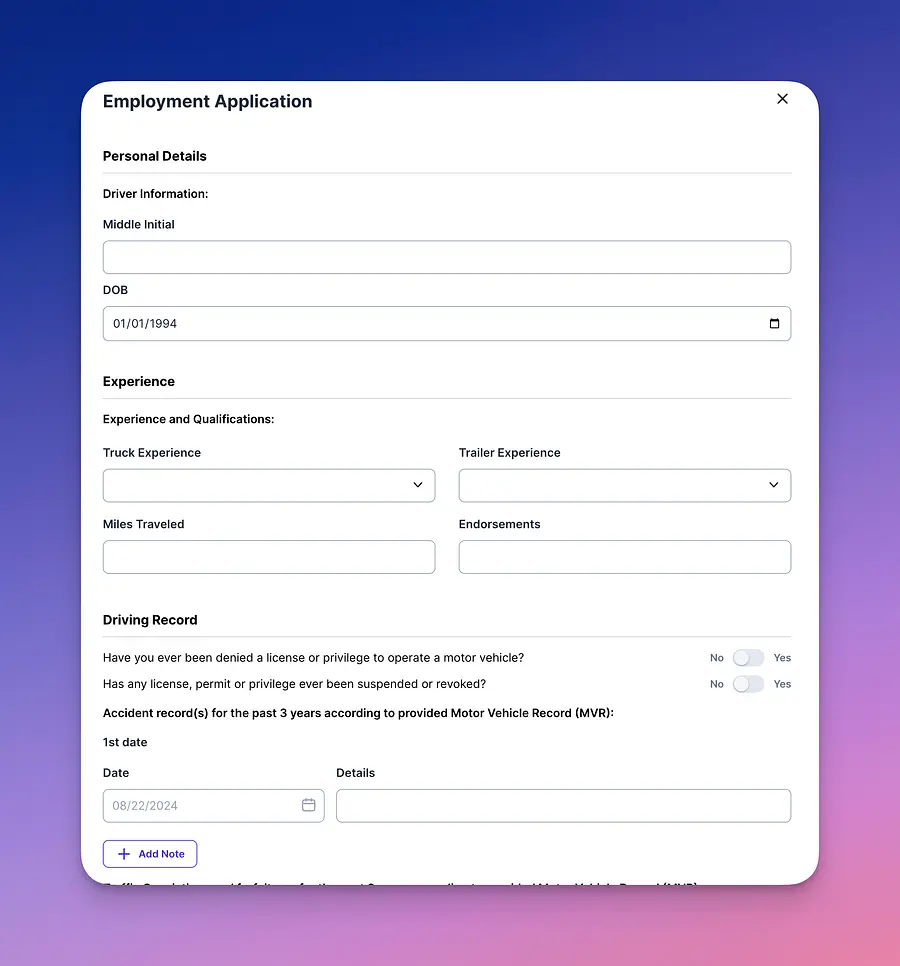
Last, you’ll need to confirm the applicant’s experience by giving an estimated total mileage and noting the type of equipment they’ve driven.
Once this last step is done, based on your selection either a PDF will be generated for your back office to print and have the applicant sign (manual), or an email with an electronic signature request will be sent to the applicant to finish the process (electronic). Once sign the status will change to "Onboarded" and appear on the driver list automatically.
📚 Note: that manual process will require you to update the status of the applicant. All "Onboarded" applicants become part of the driver list.